Get Agentknock
Start on your phone. Run on your computer.
Install the Android app and the command-line client, then connect them. You can try the complete workflow with a made-up token.
01 / Your phone
Install the Android app
Your phone holds the secrets and handles access decisions. Open the app and claim a pairing address to complete setup.
- Android 8.0 or later
- Waiting for iOS? Follow @agentknockdev on X for updates.
- Keep your phone online
- Requests need a response from the app.
The Android app is in public beta. Join with the Google account you use on your phone, then follow the link to install from Google Play.
02 / Your computer
Install the CLI
Install the CLI where your terminal, scripts, or coding agents run. The installer puts it in ~/.local/bin.
curl -fsSL https://agentknock.dev/install.sh | bashLinux / WSL2
x86-64 or ARM64, Linux 5.8+.
macOS
Apple Silicon, macOS 15 or later.
Also available through mise, npm, Nix, and Cargo. Native Windows and Intel Macs are not supported.
With the Agentknock skill, your coding agent can help install the CLI and pair it with your phone. Set up your agent
After installation
Connect your devices. Try one request.
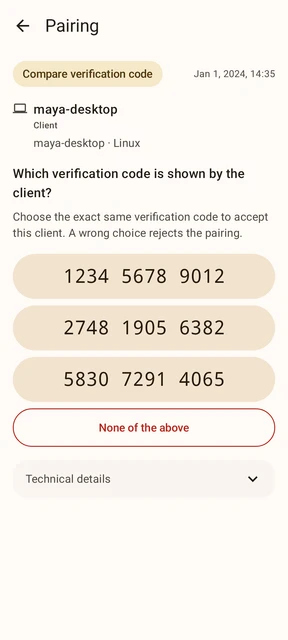
The getting-started guide takes you through pairing and a first request with a made-up value. No cloud account or real credential is needed.
The basics are free.
Storage, pairing, CLI use, manual decisions, automatic approval, and temporary access are free. Only optional AI review requires paid access.