
Run a command with credentials
You want to check the staging database from your computer without keeping its password in the project. This walkthrough stores the connection details on your phone, requests them for one psql command, and returns the database name to your terminal.
Start with a paired computer, psql installed, and an existing PostgreSQL database that uses password authentication. Use your own connection details wherever the examples show db.example.test, app_reader, or app_staging. If the credentials are already in a local file, you can import them instead of entering them on the phone.
Create the secret on your phone
Section titled “Create the secret on your phone”Open Secrets, choose New secret, and keep Environment variables as the type. Enter staging-db as the name and Staging database credentials as the description. The name is what your commands will select; the description helps you recognize its purpose during review.
Add these four variables. Enter the real password only in its value field on the phone.
| Name | Example value or source | Sensitive |
|---|---|---|
PGHOST |
db.example.test |
Off |
PGUSER |
app_reader |
Off |
PGDATABASE |
app_staging |
Off |
PGPASSWORD |
Your existing database password | On |
Add gives you another variable row. Non-sensitive values provide connection context: they are available to paired clients without approval and may be included in AI review. Only turn sensitivity off for values you are comfortable sharing that way. Keep the password sensitive.
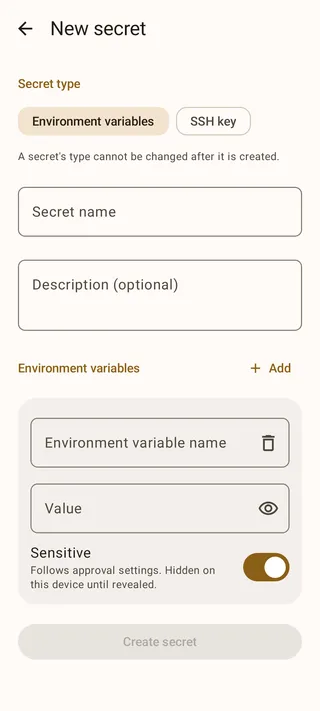
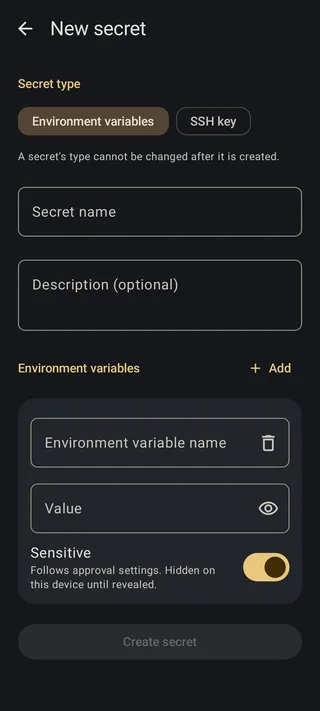
Choose Create secret and complete device authentication if requested. The new secret starts in Ask mode, so the password needs a decision when a client requests it. Leave that setting in place for this first run.
Find it from your computer
Section titled “Find it from your computer”Back in your terminal, list the phone’s secrets:
agentknock secret listIf this is your only secret, the result looks like this:
{ "secrets": { "staging-db": { "description": "Staging database credentials", "type": "environment", "variables": ["PGDATABASE", "PGHOST", "PGPASSWORD", "PGUSER"] } }}This confirms the name and available variables without returning their values. If staging-db is missing, check that you saved the secret and that this computer is paired with the intended phone.
Request a database check
Section titled “Request a database check”Run:
agentknock -s staging-db \ --reason "Check the staging database connection" \ -- psql -X -w -A -t -c 'SELECT current_database();'Everything after -- is the command to run after approval. PostgreSQL reads the four connection variables from its environment. The query reads the current database name. The psql options skip your startup file, prevent a password prompt from hiding a missing credential, and keep the result to one plain line.
The terminal waits while you review the request. A short wait may produce no output. After 30 seconds, a request that has reached the phone reports:
AGENTKNOCK: The device received the request. Waiting for its response. Elapsed time: 30 seconds.Allow this command on your phone
Section titled “Allow this command on your phone”Open the incoming request. Check the requesting client, the staging-db secret, and the psql command with its database-name query. The reason should read Check the staging database connection. You can also inspect the working directory and executable details to understand where the request came from.
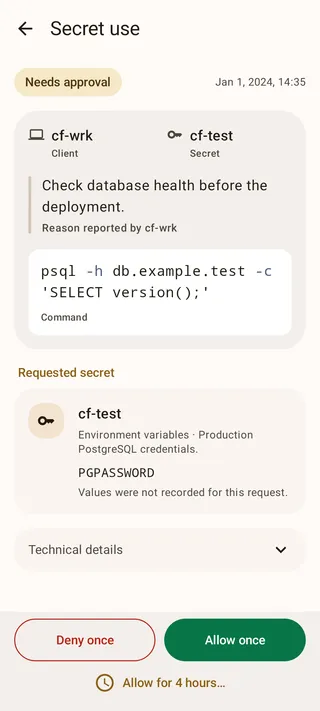
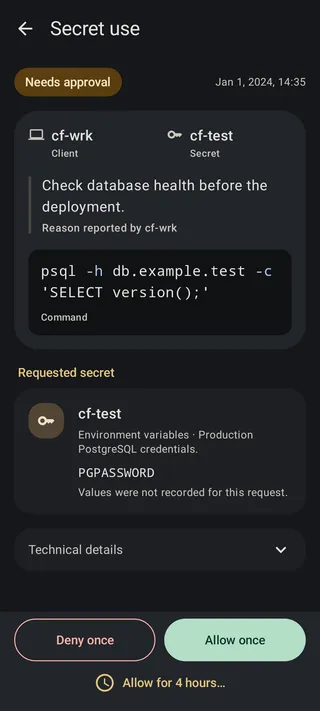
Choose Allow once. Agentknock returns the approved variables and starts psql on your computer. With the example database, the command prints:
app_stagingThe password does not appear in that output. Agentknock does not save the delivered values in your project or CLI configuration; the command and its child processes can still read or store the values they receive.
Recognize a denied or failed run
Section titled “Recognize a denied or failed run”To try the other decision, repeat the command and choose Deny once. Agentknock reports the denial and finishes with:
AGENTKNOCK: The command didn't run.If you allowed access but psql reports an authentication or connection error, the command did start. Check the saved credentials and database connectivity before requesting another run. For repeated work, configure client access; for a changed password, update the credential.